Radxa Dragon Q6A
This how-to explains how to integrate the radxa dragon q6a into a ci-tron system.
Preparations
Update the SPI Boot Firmware on the Radxa Dragon Q6A to the latest version.
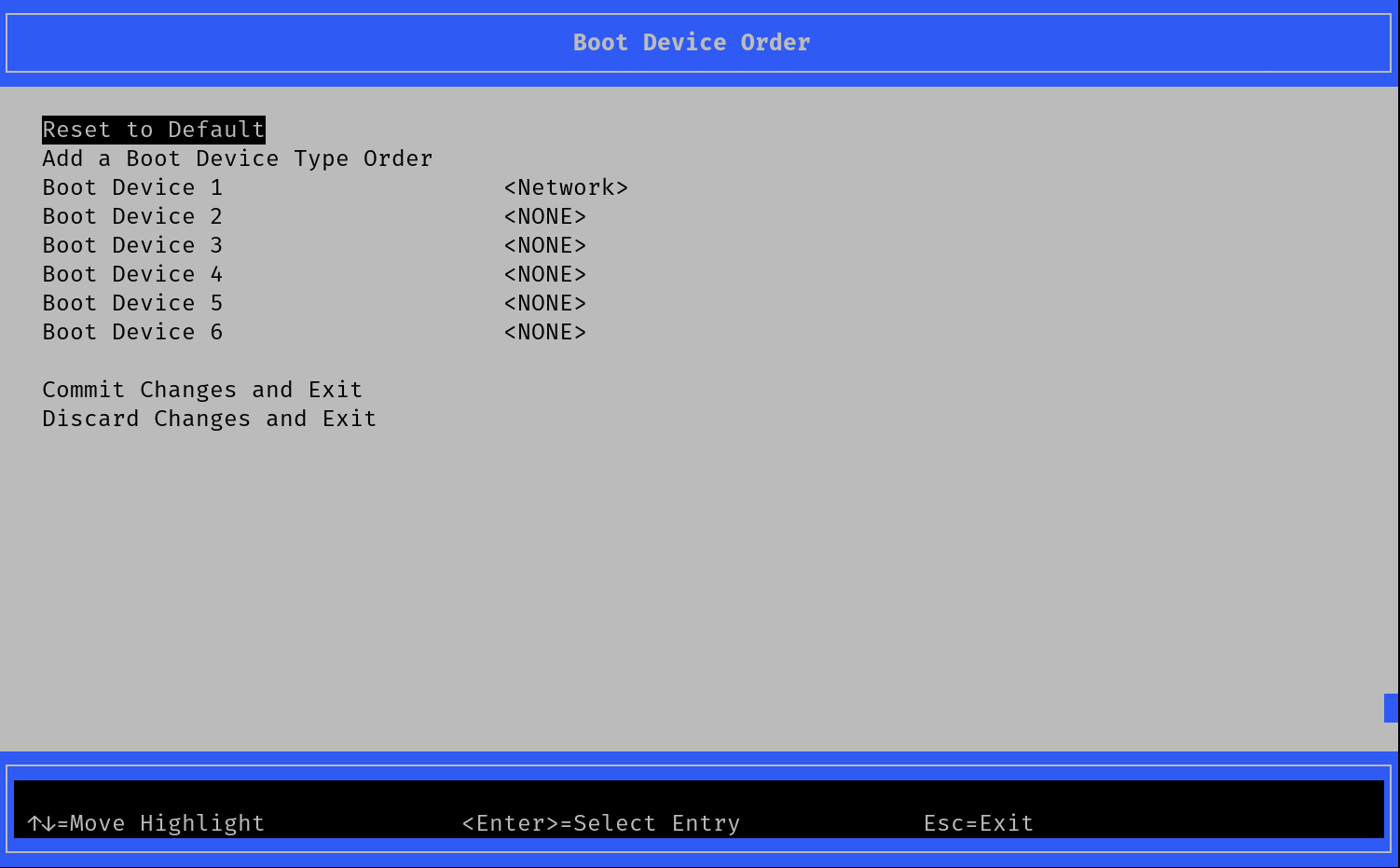
Boot the device, enter the UEFI menu and configure it to only boot via PXEv4. Make sure that “Network” is the first boot device in the UEFI menu under “Boot Maintainance Manager” -> “Boot Device Order”
Hardware setup
There are the following participants:
The CI-Tron host device: henceforth “ci-tron host”
The phone harness v0.3 / v0.2: henceforth “phone harness”
The radxa dragon q6a: henceforth “q6a”
Make the following connections between them:
Connect the HOST port of the phone harness to the ci-tron host.
Connect the POWER port of the phone harness to a power supply which supports PPA.
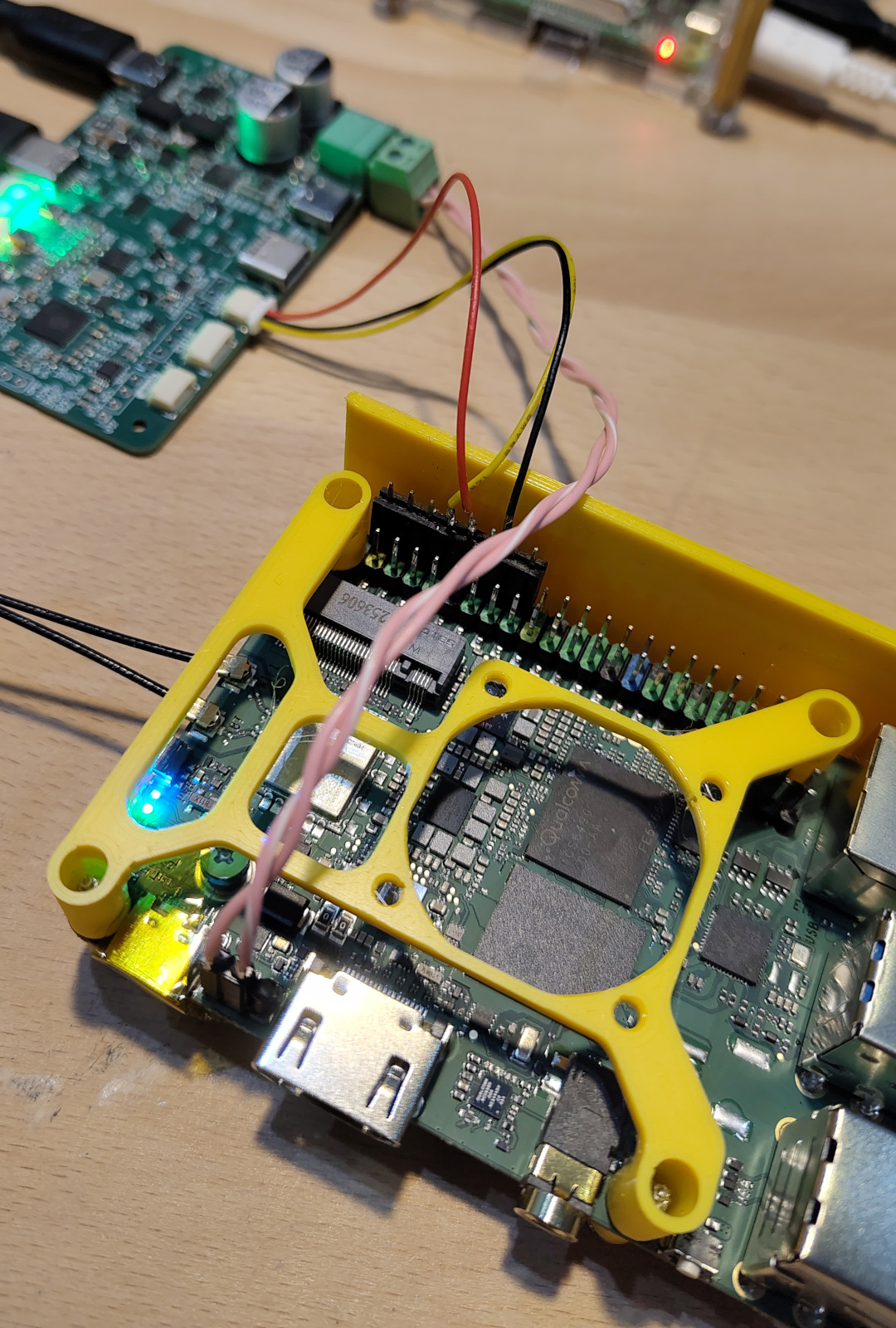
Connect the UART of the phone harness to the q6a’s 40-PI header with the following pin mapping:
phone harness UART-TX  (red)    --> q6a pin 10 (UART5_RX)
phone harness UART-GND (black)  --> q6a pin 14 (GND)
phone harness UART-RX  (yellow) --> q6a pin  8 (UART5_TX)
Connect the BAT connector of the phone harness to the auxiliary power connector next to the USB-C Port on the q6a.
Caution
Do not connect anything to the USB-C connector of the q6a when powering through this pin header! It is hardwired to the 12V input pins and will be reverse supplied and may cause damage. It is highly recommended to seal the USB-Connector with sticky tape.
Connect ethernet of the ci-tron host to the ethernet of the q6a